Buyer safety · checked 22 October 2026
PUBG Mobile login and safe transfer
A PUBG Mobile account belongs to whoever controls its social logins. Buying one safely means receiving the original login with its email, linking your own, and removing every login of the previous owner.
After payment you get the login, change the email and password to your own, unlink the old social logins and link yours. We stay with you until the account is fully yours. If a previous owner ever recovers it, we replace it or refund you in full, at your choice.
17 PUBG Mobile accounts are available at METAMMO today, each checked by hand before it is listed.
How it works
PUBG Mobile logins and recovery
Social logins
A Global account signs in through a social login: Facebook, X (Twitter), Google Play Games, Game Center or Apple. The help center treats each social network as a separate set of game information.
Two logins to swap one
Unlinking exists since July 2020, but you can only unlink a login while another one stays linked. The handover therefore goes: link your own login first, then remove the seller’s.
PUBG Mobile help center (official) · Unlink lost social accounts from PUBG Mobile (BitTopup)
Unlinking takes time
Removing a linked login is not instant: the game holds it for a waiting period, and signing in with that login during the wait cancels the unlink. Only one login can be removed at a time.
Guest accounts cannot be restored
Guest data is not recoverable. An account that has only a guest login cannot be handed over safely.
Recovery goes to the paying owner
A hacked-account claim in the help center asks for the UID, the creation date, UC purchase receipts and the device and email history. Purchase receipts weigh most, which is why a previous owner who paid for the account can sometimes win it back.
Support cannot recover a social account
If the Facebook, Google or X account behind the login is lost, PUBG Mobile support cannot restore it: it has to be recovered with that platform. Whoever controls the email of the social login controls the game account.
Waiting periods and the age a login must reach before it can be removed differ between guides and change with updates; the game shows the current timer when you unlink.
Checklist
What you should receive with a bought account
- 1
The original social login
The Facebook, X, Google or Apple account the game account was created on, with its email and password changed to yours, the previous owner’s phone removed and your own two-step verification switched on.
- 2
Your own login linked
Link your own Google Play Games or Game Center login, then remove every other login once its waiting period is over.
- 3
A backup email or phone in the game
Add your own email or phone as a backup login in the game settings.
- 4
The account’s ID details
The UID and the creation date, and purchase receipts where they exist. We keep them on file for the guarantee.
- 5
Time for the timers
Keep the account and its logins untouched by anyone else until every unlink timer has run out.
Red flags: a guest-only account; a seller who keeps the email of the only linked login; a listing that does not say which version it is; X-Suits shown in a screenshot instead of a live recording. More on versions: Global vs KR, VN, TW and BGMI.
Step by step
How buying a PUBG Mobile account works at METAMMO
- Step 1
Choose the account
Check the version (Global unless stated), the X-Suits, guns and cars, and ask for a live recording of the wardrobe, garage and profile.
- Step 2
Pay
A private support ticket opens. Before delivery you can cancel for a full refund.
- Step 3
Receive the login
The login and the email of the social account come in the ticket, usually within minutes to a few hours and at most 24.
- Step 4
Make it yours
Change the email and password of the social login, link your own login, add a backup email or phone, and unlink the old logins.
- Step 5
We stay with you
Support stays in the ticket until every login is yours. The guarantee covers recall by a previous owner for life.
Lifetime guarantee against recall
METAMMO is a store, not a marketplace: you buy every PUBG Mobile account from METAMMO, checked by hand before it is listed. If the previous owner ever recovers the account, we replace it or refund you in full, at your choice, with no time limit. Keep the new logins to yourself: a shared password or a phishing link is not covered. Full terms: guarantee and refunds.
More: what a PUBG Mobile account is worth · account prices at METAMMO · where to buy a PUBG Mobile account safely
Answers
PUBG Mobile login and transfer: FAQ
Is it safe to buy a PUBG Mobile account?
The real risk is a previous owner getting the account back, through a login they kept or a recovery claim. At METAMMO you buy every account from METAMMO, checked by hand before it is listed; every login is moved to you at handover, and a lifetime guarantee covers recall: if a previous owner ever recovers the account, we replace it or refund you in full, at your choice.
How do I log in to PUBG Mobile?
With a social login: Facebook, X (Twitter), Google Play Games, Game Center or Apple. A guest login also exists, but guest data cannot be restored if it is lost.
How do I change the linked account in PUBG Mobile?
Link the new login first, then unlink the old one: you can only unlink a login while another stays linked. Unlinking has a waiting period, and signing in with the old login during it cancels the unlink.
How do I recover a PUBG Mobile account?
Through the in-game help center, with a hacked-account claim. It asks for the UID, the creation date, UC purchase receipts and the device and email history. If the Facebook, Google or X account behind the login is lost, that platform has to restore it first.
How do I transfer a PUBG Mobile account to someone else?
Hand over the social login with its email, let the new owner link their own login, then unlink yours once the timers allow it. A guest-only account cannot be transferred safely.
What does the METAMMO guarantee cover?
Recall or recovery by a previous owner, for life: we replace the account or refund you in full, at your choice. Losses on the buyer’s side, such as a shared password, are not covered.
Checked 22 October 2026 · Sources: PUBG Mobile help center, BitTopup: unlinking social accounts, Buffget: account recovery 2026
Available now
Hand-checked PUBG Mobile accounts
You buy every account from METAMMO, checked by hand: X-Suit levels, upgradable guns, supercars and the login. Lifetime guarantee against recall: replacement or full refund, your choice.
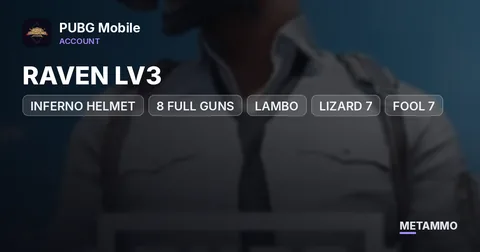 INFERNO HELMET | RAVEN LV3 | 8 FULL GUNS | LAMBO | LIZARD 7 | FOOL 7 | GURU 7 | ROARING IMMOLATION 7 | MORE$1229View account →In stock
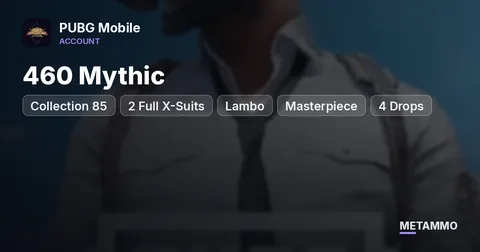 Collection 85 | 460 Mythic | 2 Full X-Suits + 4 | Lambo | Masterpiece + 4 Drops | Inferno Helmet | 23 Gold Suits | 41 Gold It$4579View account →In stock
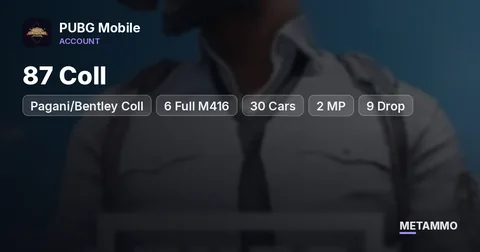 87 Coll | Pagani/Bentley Coll | 6 Full M416 | 30 Cars | 2 MP | 9 Drop | 3 Full-X | MK14 Dragon Domination Full$7339View account →What sets the price
- Supercar skins, especially Masterpiece and Drop versions
- Maxed upgradable guns (M416 above all) and their kill chats
- X-Suits and their level
- Mythic count and collection level
- Version (Global, KR, VN, BGMI) and login type