Buying guide · checked 12 October 2026
Before you buy a VALORANT account
A VALORANT account is priced by its skins, then its region and rank. Here is what to verify before paying, the risks that come with any bought account, and what a warranty can — and cannot — cover.
Check the region first, because it is effectively fixed. Then check the named skins on the collection screen, the rank history, and that the Riot account’s email will be yours. For reference, the median asking price in public listings over the last 90 days was $55 for 15 to 59 skins and $350 for collector accounts.Data
After delivery, change the email and password, turn on MFA with your own email and phone, and log out of all devices. A good seller also covers recovery by the previous owner for longer than a few days. Ready to look? Buy VALORANT accounts that have been checked by hand.
Six checks
What to verify before paying
- 1Region
The account plays on the region it was created in. Riot moves it only when the owner actually relocates, and then not again for 90 days — so buy the region you live in. Riot
- 2Skins, by name
Ask for the full collection screen, not a skin count. Limited items (Champions, Ruin, Arcane, Ignite, VCT knives) are what hold value; store skins come back in rotation.
- 3Rank and its history
A title usually states the peak rank. Check the current Act rank and the rank history; a rank buddy proves a rank in an earlier episode.
- 4Email and Riot ID
You need the login, the linked email and the right to change both. Without the email, the previous owner can recover the account.
- 5Restrictions and penalties
Look at the account’s penalty history and any chat or queue restriction; prefer an account with a clean record.
- 6VP spent and level
Useful context for a big collection, but secondary: two accounts with the same skins are worth about the same whatever was spent.
Price drivers
What makes a VALORANT account valuable
A VALORANT account is valued on two things that behave very differently: the skin collection, which is permanent, and the rank, which resets. Buy for the first and treat the second as information. These are the factors that set the price.
| Factor | What to look for | Why it matters |
|---|---|---|
| Champions bundles | Champions 2021 to 2026 weapons and melees: the 2021 Vandal and Karambit, 2022 Phantom and Butterfly Knife, 2023 Vandal and Kunai, 2024 Phantom and Blade, 2025 Vandal and Butterfly Knife, 2026 Phantom and Fan. | Each one was sold only during that year’s Champions event and is not offered again in the store or the Night Market.CommunityRiotRiot |
| Old Battle Pass and collab items | Ruin Dagger, Arcane Sheriff, the Arcane Vandal and Gauntlets, Ignite items. | Battle Pass, collaboration and event items that are no longer sold. The Ruin Dagger, from Episode 1, is one of the oldest melees in VALORANT.RiotRiotRiot |
| VCT items | The VCT LOCK//IN Misericórdia, the VCT 2025 Karambit and yearly team capsules. | Tied to an esports season and sold for a limited time.CommunityCommunity |
| Store premium lines | Reaver, Prime, Elderflame, Glitchpop, RGX 11z Pro and similar. | Popular, but they come back in store rotation, so they add less than items that never return. |
| Rank buddies and peak rank | Episode rank buddies, the current act rank and the rank history. | A rank buddy proves a rank in an earlier episode. Rank itself resets, so treat it as information more than value.Community |
| Region | The region shown on the account, matched to where you live. | The region is effectively fixed. It decides your ping and who you play with.Riot |
| Account level | Level 20 or higher if you want to play Competitive straight away. | Riot requires account level 20 before Competitive unlocks for a new account.Riot |
| VP spent | A stated total, ideally backed by the purchase history. | A rough proxy for collection depth. Two accounts with the same skins are worth about the same whatever was spent. |
Every limited skin, with its release and price record, is on the rare VALORANT skins page. What “ranked-ready” means is explained in VALORANT smurf accounts and level 20.
Step by step
How to buy a VALORANT account safely
- 1
Pick your region first
Buy an account in the region you play in. Riot moves an account only when the owner has really relocated, and then not again for 90 days, so treat the region as fixed.Riot
- 2
Ask for proof of the collection
Ask for a video of the in-game collection with the Riot ID visible, weapon by weapon for the expensive items. A skin count or a store screenshot proves nothing.
- 3
Check rank and Riot Mobile status
Look at the current act rank and the rank history. An account that has ever reached Ascendant needs Riot Mobile MFA to play Competitive, permanently, so you will need it set up on your own phone.Riot
- 4
Confirm the email handover
You need the Riot login, the linked email and the right to change both. MFA codes go to that email, so an account you cannot receive email for is not really yours.Riot
- 5
Check penalties and other Riot games
Ask about queue or chat restrictions and recent penalties. The same Riot login covers League of Legends and TFT, so check standing across the whole account.
- 6
Pay through a protected checkout
Use a checkout that records the order and gives you a way to claim if something goes wrong. Do not pay a stranger with gift cards or a transfer that cannot be disputed.
- 7
Secure the account in the first hour
Change the email and password, turn on MFA with your own email and app, and log out of all devices so no old session stays signed in.Riot
- 8
Check everything in the game
Log in, open the collection and tick off every skin and buddy from the listing. Keep the order chat and screenshots: they are what a warranty claim is built on.
Watch out
Red flags and common scams
The most common way a VALORANT purchase goes wrong is not a seller who disappears. It is the original owner asking Riot for the account back after the sale. The second is an account that is not what the title says. These signs point to one or the other.
- An account in a different region from yours, with a promise that “support will move it”.
- No email handover, or an email the seller wants to “keep for safety”.
- Collection screenshots without the Riot ID, or a skin list copied from a store page.
- An Ascendant or higher account where the seller will not remove their Riot Mobile verification or wants you to send them codes later.
- A rank that jumped in a way only a booster explains. Riot said in patch 11.09 that it acts against accounts detected for boosting.
- Requests to pay with gift cards or outside the checkout, or pressure to confirm delivery before you have logged in.
- “Champions bundle” claims that turn out to be a single buddy or card from the bundle. Ask for the weapon itself.
Boosting and MFA: VALORANT Patch Notes 11.09 (MFA for Competitive, smurfing and boosting).
After delivery
After you buy: securing the Riot account
A VALORANT account is a Riot account: one login, one email and a Riot ID shared with every Riot game. Securing it means securing that login. Do these in order, ideally in the first hour.
Change the email while the old inbox works
Move the Riot account to an email only you use, while the seller or support can still confirm codes on the old address. Riot says that if MFA emails go to an address you cannot reach, the only option is player support.Riot
Set a new, unique password
Use a password you have never used elsewhere. Riot asks for an MFA code on major account changes like a password update, which is another reason to fix the email first.Riot
Turn on multi-factor authentication
Enable email MFA on the Sign-In & Security page of your Riot account. Then add Riot Mobile or an authenticator app such as Google Authenticator or Microsoft Authenticator. Email MFA has to be on before Riot Mobile.Riot
Log out of all devices
Use Log out of all devices in the Login Management card. It ends every session and removes trusted device status, so a device the seller ticked to remember is signed out too.Riot
Verify with Riot Mobile if you play ranked high
Ascendant and above, and accounts Riot suspects are shared, need Riot Mobile MFA for Competitive. Set it up on your own phone, not the seller’s.Riot
Change the Riot ID when you can
A Riot ID change is free on a 90-day cooldown and applies to every Riot game. If the seller renamed the account recently, you inherit the rest of that wait.Riot
Keep the login to yourself
Do not share the account or log in through sites that promise free skins. Losses caused by shared credentials or phishing are not covered by any seller’s warranty.
More on names and the cooldown in how to change your Riot ID.
The real risk
Recovery, and the phone on high ranks
Day to day, the risk a buyer meets most often is recovery: an original owner who still has the email or purchase records asks Riot for the account back. Full email control closes the easy route; a warranty against recovery covers the rest.
Riot also ties high ranks to the phone. In patch 11.09 it said accounts detected as shared in some regions must enable Riot Mobile MFA to play Competitive, then required Riot Mobile verification for every Ascendant and higher account, rolled out region by region between October 2025 and February 2026. Plan to move MFA to your own phone straight after delivery.RiotRiot
Lifetime warranty against recovery
Every account is checked by hand before it is listed. If a previous owner ever takes back an account bought from us, the original buyer gets a replacement of equal value or a refund through the payment method used, at the buyer’s choice. There is no time limit. Losses on the buyer’s side are not covered — shared credentials, phishing, a lost email. Support usually replies within minutes. Full terms.
Not sure which account fits you? Tell support your region, the skins you care about and whether you play ranked, and we help you choose from stock. After delivery we walk you through the email change and MFA. Browse VALORANT accounts for sale.
65 available
Accounts with Champions bundles
![[EU] Champions 2025 | Elderflame | Kuronami](/acc/acct-g2g-30587/card-480.webp?v=1bc79c9e78)
34 available
Accounts with rare knives
![[EU] Champions 2025 | Ion Karambit | 64k VP | 77 Skins](/acc/acct-g2g-30586/card-480.webp?v=9a1ca39950)
[EU] Champions 2025 | Ion Karambit | 64k VP | 77 Skins
![[EU] Champions 2022 | Prime 2.0 Karambit | RGX Karambit | 20 Skins](/acc/acct-g2g-30585/card-480.webp?v=421e2346b7)
[EU] Champions 2022 | Prime 2.0 Karambit | RGX Karambit | 20 Skins
![[EU] Champions 2023/2025 | Ignite Fan | Glitchpop | Prime | 63k VP | 80 Skins](/acc/acct-g2g-30584/card-480.webp?v=fdcf0e7e79)
[EU] Champions 2023/2025 | Ignite Fan | Glitchpop | Prime | 63k VP | 80 Skins
![[EU] Ignite Fan | Reaver Karambit | RGX 11Z Pro Blade | Prime | 20 Skins](/acc/acct-g2g-30574/card-480.webp?v=b48979d540)
[EU] Ignite Fan | Reaver Karambit | RGX 11Z Pro Blade | Prime | 20 Skins
38 available
High-rank accounts
![[EU] Champions | VCT 2025 | 119 Skins | Peak Ascendant 3](/acc/acct-g2g-30550/card-480.webp?v=978b3f554a)
![[EU] RGX Butterfly Knife | 25 Skins | Ascendant 1](/acc/acct-g2g-30244/card-480.webp?v=a365319296)
![[EU] VCT Capsule | 70k VP | 75 Skins | Immortal 1](/acc/acct-g2g-30226/card-480.webp?v=88416783f1)
![[EU] Champions 2024 | VCT 2025 | Kuronami no Yaiba | 113k VP | 235 Skins | Peak Immortal 1](/acc/acct-g2g-30205/card-480.webp?v=d021c30de3)
Know what to look for? See which skins never return, the VALORANT account price index and the VALORANT guide hub.
Still choosing where to buy? Where to buy a VALORANT account safely compares buying from a store with escrow marketplaces: who you pay, how long each covers recovery and what happens if the account is taken back.
Answers
Buying FAQ
Can I change the region of a VALORANT account?
Only through Riot Support, and only if you have actually moved to another region; after a transfer you cannot move again for 90 days. Treat the region as fixed when buying.
What is a fair price for a VALORANT account?
For reference, median asking prices in the last 90 days were $55 for 15–59 skins, $116 for 60–149 skins and $350 for collector accounts.
Do I need Riot Mobile to play ranked on a bought account?
If the account has ever reached Ascendant or higher, or Riot suspects it is shared, yes: Competitive requires Riot Mobile MFA, with no expiry. Set it up on your own phone after delivery.
Can I change the Riot ID on a bought account?
Yes. A Riot ID change is free on a 90-day cooldown and applies to every Riot game on the login. If the seller changed it recently, you wait out the rest of the cooldown.
Does a VALORANT account include League of Legends?
It is the same Riot account, so the login also opens League of Legends and TFT, with whatever is on them. A restriction on the account can affect every Riot game, so check standing across the whole login.
Are Champions bundles still available to buy?
No. Each year’s Champions bundle is sold only during that event and is not offered again in the store or the Night Market. That is why accounts that have them are checked skin by skin.
Can the original owner get a VALORANT account back?
Yes, if they still control the email or can convince Riot support with the account’s details and purchase records. Taking over the email removes the easy route; a warranty against recovery covers the rest.
What does the METAMMO warranty cover?
Recovery, for life: if a previous owner ever takes the account back, the original buyer gets a replacement of equal value or a full refund, their choice. Losses such as shared credentials or a lost email are not covered.
Found what you need? Buy a VALORANT account with a lifetime warranty against recovery.
Riot Games Terms of Service · Riot Support — Account Transfer FAQ · METAMMO VALORANT account prices and listing analysis (daily) · METAMMO refund & warranty policy · VALORANT Wiki — Champions 2021 Collection · VALORANT Wiki — Ruin Collection · AFK Gaming — VCT LOCK//IN capsule & Misericórdia (community) · THESPIKE.GG — how to get a rank gun buddy (community)
Riot Support: Multi-Factor Authentication How-to & FAQ · Riot Support: Riot Mobile MFA Verification for VALORANT FAQ · VALORANT Patch Notes 11.09 (MFA for Competitive, smurfing and boosting) · Riot Support: Riot ID FAQ · Riot Support: VALORANT Competitive Mode FAQ · ONE Esports: VALORANT Champions 2023 bundle (community)
Facts checked: 12 October 2026
Available
Hand-checked VALORANT accounts
Hand-checked VALORANT accounts with a lifetime warranty against recovery by a previous owner.
![[EU] Champions 2025 | 52 Skins](/acc/acct-g2g-30465/card-480.webp?v=19b0468ecf) [EU] Champions 2025 | 52 Skins$439View account →Available
[EU] Champions 2025 | 52 Skins$439View account →Available![[EU] Champions 2022 | Prime | Kuronami | RGX | Glitchpop | 153 Skins](/acc/acct-g2g-29684/card-480.webp?v=af849547bb) [EU] Champions 2022 | Prime | Kuronami | RGX | Glitchpop | 153 Skins$759View account →Available
[EU] Champions 2022 | Prime | Kuronami | RGX | Glitchpop | 153 Skins$759View account →Available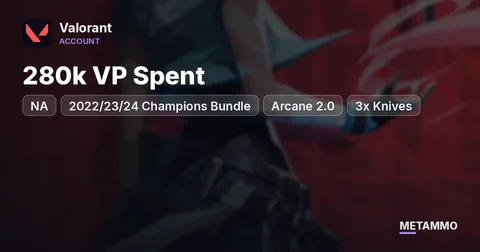 NA | 280k VP Spent | 2022/23/24 Champions Bundle | Reaver, Arcane 2.0, RGX | 3x Knives$2409View account →What sets the price
- Skin count and premium bundles
- Limited items: Champions bundles, Ruin Dagger, Arcane, Ignite
- Knives and melee skins
- Rank and region