Forever runs on the modern addon API, so a Classic Era addon does not simply carry over. Below is each one with its version and upload date, what it actually does, and the specific thing that goes wrong with it.
Verified 4 October 2026Client 1.60.1
Reading this weeks later? Treat the version numbers as a floor, not gospel — check the addon's own page before assuming it has not moved.
Forever "shares Mainline WoW's UI architecture, including the vast majority of APIs available in 12.1.5", a Blizzard representative wrote, as reported by Icy Veins on 17 September 2026. Ion Hazzikostas put it more simply: "We just changed the API that add-on authors have used." That is the single most important fact on this page, because it decides which addons can exist at all.
It also brings the Midnight-era addon restrictions with it, and Blizzard is shipping its own damage meter and Cooldown Manager in the client — the latter still listed as work in progress in the beta known-issues post.
What this means in practice: combat state is a secret value. An addon may display it, but may not read it to drive its own logic. Anything that watched enemy cast bars, combat log events or other players' states to tell you when to press a button runs into that wall. Display is allowed; decision-making from hidden combat data is not.
It also means a Classic Era addon will not simply load. It needs a build made for Forever — which is why the version numbers below matter more than they would on a settled client.
What Blizzard ships built in
Forever runs the retail-era interface, so several things people normally install an addon for are already there:
Edit Mode — move and rescale interface elements without a UI addon.
A damage meter — which is why Details is optional here rather than standard.
Cooldown Manager — cooldown tracking without building an aura for it.
Quest markers — basic objective pointers, though not at Questie's depth.
A swing timer — announced as coming.
Try the built-in version before installing an addon for the same job. On a fresh realm the lighter your interface, the fewer things break when the next build lands.
Read this before installing anything: the beta loses your settings
In our testing on beta client 1.60.1, the Forever client writes addon SavedVariables but never reads them back. Blizzard has not acknowledged it. Every /reload or login starts your addons fresh: guide unset, step reset, settings gone.
It affects anything that persists state between sessions. You notice it most in RestedXP, because losing your place in a levelling route is immediately obvious — whereas a reset setting elsewhere can go unseen for hours.
The community workaround is a background helper that watches the saved-variables file and re-injects the data when the client loads. It treats the symptom. The actual fix has to come from Blizzard, and most likely arrives with the launch client on 4 November. If you would rather not run a background process, the alternative costs nothing: accept the reset and re-select your step each session.
Every confirmed Forever build
Questie
v12.0.3Install firstLevellinguploaded 30 September 2026
Quest objectives on the map and minimap.
Vanilla quest text describes where to go in prose — "south of the river, near the broken wagon". Questie turns that into a marker. It is the addon whose absence you feel every few minutes.
Bagnon
v12.1.6Install firstQuality of lifeuploaded 4 October 2026
One bag window instead of five.
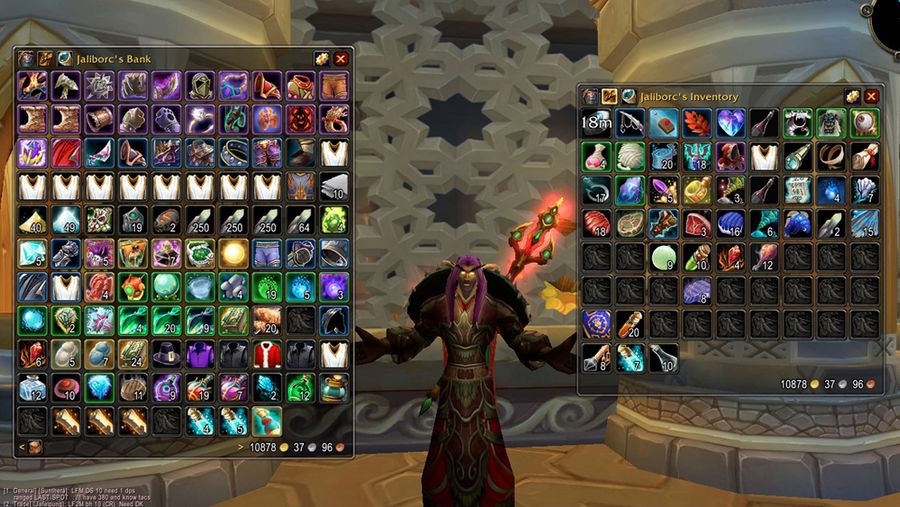
Vanilla opens every bag separately. Bagnon merges them into a single searchable panel. Unglamorous, and the second thing that becomes unbearable without.
Bagnon: all bags merged into a single searchable window — screenshot by the addon author, via CurseForge
Leatrix Plus
v1.60.11-foreverInstall earlyQuality of lifeuploaded 2 October 2026
A long list of small frictions removed at once. Nothing it does is essential on its own; together they change how the game feels to play.
Install the file ending in -forever. The Classic file on the same project page will not work properly.
Leatrix Maps
v1.60.11-foreverInstall earlyQuality of lifeuploaded 3 October 2026
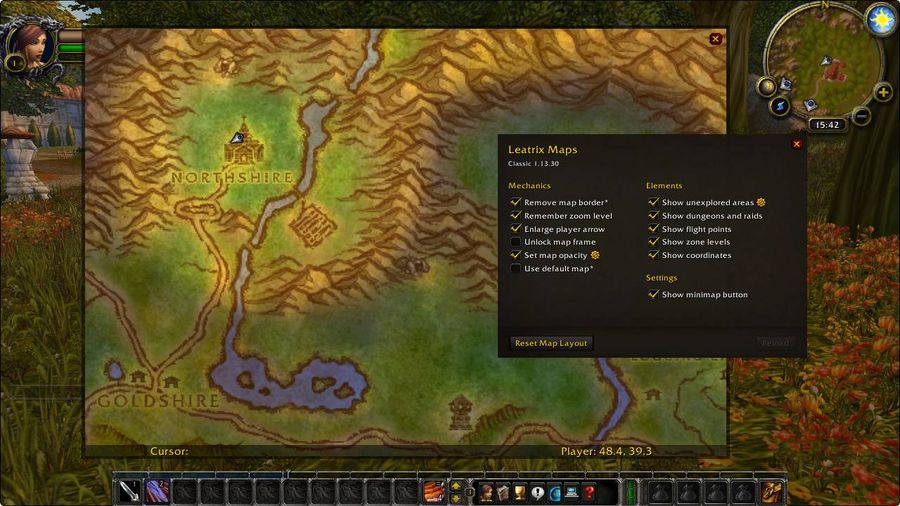
Map improvements, including a zoomable world map.
The vanilla world map is a fixed image per zone. This makes it behave like a map.
Leatrix Maps: zoomable world map in WoW — screenshot by the addon author, via CurseForge
Same trap as Leatrix Plus — take the -forever file, not the Classic one.
RestedXP Guides
v4.11.23Install earlyLevellinguploaded 10 October 2026
A routed levelling path, told step by step. The addon is free; the Forever routes are a separate paid pack ($45 both factions, $30 one faction on the official shop, 16 October 2026). Levels 1-35 are done, including the Skyborne starting zone; 35-60 comes after launch.
Questie answers "where is this objective". RestedXP answers "which quest should you be doing at all, and in what order". With 26 million CurseForge downloads it is the de facto standard for levelling quickly.
Hit hardest by the beta saved-variables bug — see below before installing.
Auctionator
v340Once you have goldGolduploaded 2 October 2026
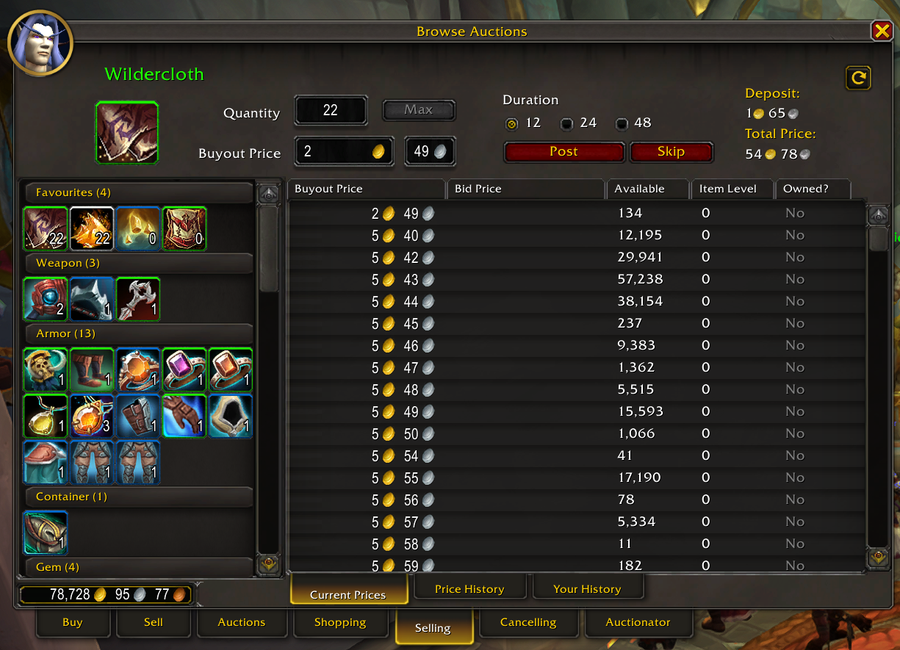
Auction house scanning, pricing and bulk posting.
On a fresh realm the auction house is where gold is actually made. Not urgent on day one; essential by week two.
Auctionator auction house scanning and pricing interface — screenshot by the addon author, via CurseForge
Build 339 fixed three Forever-specific faults: auction durations, reagent bag contents in the Selling tab, and unit price display. Anything older is broken in those places.
ForeverQuest
v0.11.0Install earlyLevellinguploaded 30 September 2026
A quest helper built only for Forever: customisable tracker, clustered map markers, dotted minimap guidance.
The fallback if Questie’s data lags behind Forever’s new quests. Young (first files late September), so expect rough edges.
Talents Forever
v0.37.1Install earlyLevellinguploaded 4 October 2026
Plan Forever talents in game without spending a point, follow the plan while levelling, share builds by link.
Every class’s trees changed, and the planner sits in the client rather than a browser tab.
Dungeon Quests Forever
v0.2.4 betaOnce you have goldDungeons & raidsuploaded 4 October 2026
Step-by-step guides for every Forever dungeon quest and pre-quest, with an arrow, map pins and auto-tracking.
Nine new dungeons arrive with their own quest chains; this tracks the pre-quests you would otherwise miss.
MyXPBar Forever
v3.3Once you have goldLevellinguploaded 30 September 2026
A customisable XP bar with rested XP, quest XP and XP per hour.
Small, but XP per hour is the number that tells you whether a levelling route is working.
Baganator
v834Once you have goldQuality of lifeuploaded 1 October 2026
Bags in categories or a single view.
The main alternative to Bagnon if you prefer sorted categories over one big grid.
TomTom
Once you have goldLevelling
Waypoint arrows — point at a coordinate and follow the arrow.
Pairs with any guide that gives coordinates rather than markers. Long-established and lightweight.
Confirm the file targets Forever before installing; a Classic Era build will not load.
WeakAuras
Once you have goldCombat
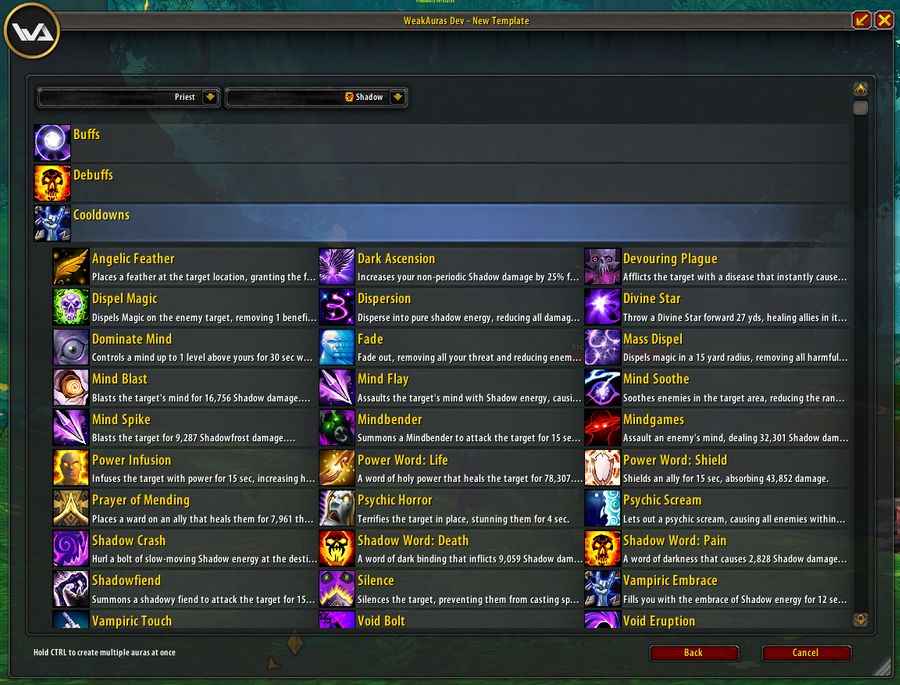
Custom alerts and tracking built from conditions you define.
The most powerful addon in WoW, and the one most changed by Forever’s API choice.
WeakAuras custom alert and tracking configuration — screenshot by the addon author, via CurseForge
Auras that read enemy cast bars, combat log events or other players’ states to tell you when to press something run into the combat restrictions below. Display-only auras are fine.
Details! Damage Meter
v20260929Once you have goldCombatuploaded 29 September 2026
Detailed damage and healing breakdowns.
Optional in Forever rather than essential — Blizzard ships a built-in meter. Worth installing only if you want the deeper breakdowns.
DBM / BigWigs
Once you have goldDungeons & raids
Boss encounter timers and warnings.
Both run under the same limitations they have in retail. Forever encounters are far simpler than modern raids, so the restrictions bite less here.
AtlasLoot
Once you have goldDungeons & raids
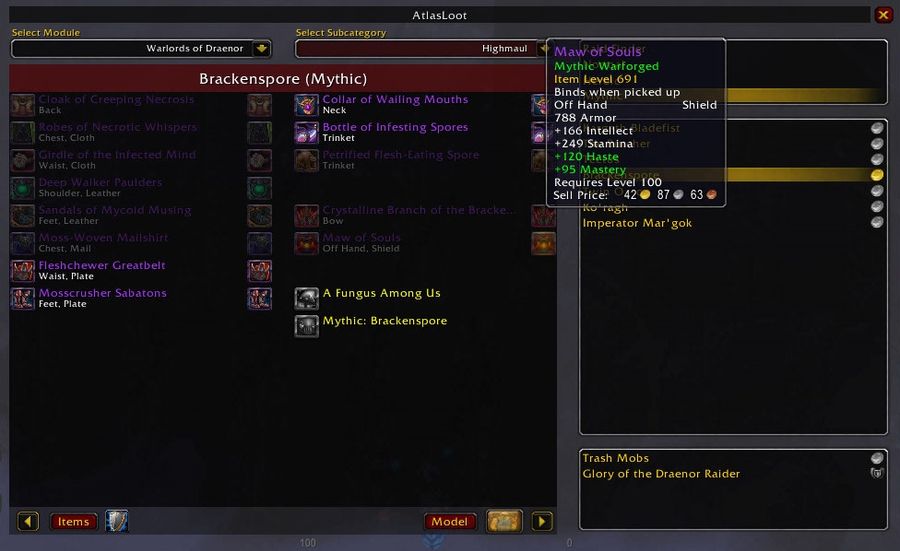
Dungeon and raid loot tables in-game.
Answers “what drops here” without leaving the client. Useful the moment you start running dungeons for gear.
AtlasLoot showing a dungeon loot table in-game — screenshot by the addon author, via CurseForge
Needs a Forever build — its value is its database, and a Classic one does not know the new instances.
Plater Nameplates
Once you have goldCombat
Rebuilt enemy nameplates — health, casts, threat, all configurable.
Nameplates carry most of what you need to read a fight. Plater makes them say it clearly instead of making you squint.
A display addon, so it fits the modern API model. Scripts that react to hidden combat state do not.
Spy
Once you have goldPvP
Warns when an enemy player appears nearby.
On a PvP realm this is the difference between seeing a rogue and being opened on by one.
Confirm a Forever build; detection addons lean on exactly the combat data the new API restricts.
BattlegroundTargets
Once you have goldPvP
A compact frame listing everyone on the enemy team in a battleground.
Turns a battleground from a mob into named targets you can focus deliberately.
Battleground addons were among the first rewritten for the modern API in retail; check the build date.
GatherMate / Gathering addons
Once you have goldGold
Records herb and ore nodes you pass and draws them on the map.
Gathering is the most reliable gold on a fresh realm, and it rewards knowing where nodes repeat.
Postal
Once you have goldGold
Bulk mail handling — open everything, take everything, in one click.
Once you are selling on the auction house, the mailbox becomes the chore. This removes it.
The Leatrix trap
Leatrix Plus and Leatrix Maps publish a separate file ending in -forever. CurseForge will hand you the Classic file from the same project page, and it will not work properly.
This catches people installing through an addon manager set to "latest", because the manager picks the Classic build — it has the higher plain version number. Pick the Forever file by name.
Which addon for which job
If you want to…
Install
Or use built in
Find where a quest objective is
Questie
Basic quest markers
Be told which quest to do next
RestedXP Guides
—
Follow coordinates from a guide
TomTom
—
Stop juggling five bag windows
Bagnon
—
Move your interface around
—
Edit Mode
See your damage
—
Built-in damage meter
Deeper damage breakdowns
Details!
Built-in meter covers basics
Track cooldowns
—
Cooldown Manager
Read enemy nameplates properly
Plater Nameplates
Default nameplates
Know what drops in a dungeon
AtlasLoot
—
Get boss timers
DBM or BigWigs
—
Sell on the auction house
Auctionator
—
Clear a full mailbox fast
Postal
—
Remember where herbs and ore are
GatherMate
—
Spot enemy players on a PvP realm
Spy
—
Track the enemy team in a battleground
BattlegroundTargets
—
Where the third column has an entry, try it before installing anything — on a client this new, the fewer addons you run the fewer things break when the next build lands.
What to install, in order
1
Questie — Before anything else. Vanilla tells you almost nothing about where to go.
2
Bagnon — Five bag windows is the first thing that becomes unbearable.
3
Leatrix Plus and Maps — The accumulated small frictions, removed at once.
4
RestedXP Guides — Only if you want to be told which quest to take next rather than deciding.
5
Auctionator — Once you have gold to spend and things to sell — week two, not day one.
How to check an addon is really a Forever build
Since a Classic Era build will not load, this is worth thirty seconds before every install:
Check the file list, not the project page. A project can support several clients; the download button gives you whichever the site thinks you want.
Look for a version tagged for Forever — either a filename containing forever, like Leatrix's, or a game-version column showing 1.60.x.
Read the upload date. Anything from before BlizzCon in September 2026 has never been tested against this client.
Open the .toc file if unsure. Its interface number tells you which client it targets, regardless of what the listing says.
Addon managers set to "latest" are the usual cause of a wrong install: they pick the highest plain version number, which is often the Classic file.
WoW Forever addon FAQ
Which addons work in WoW Forever?+
Six have a stable Forever file published by their own developer, verified 4 October 2026 against client 1.60.1: Questie 12.0.1, Bagnon 12.1.4, Leatrix Plus 1.60.07-forever, Leatrix Maps 1.60.05-forever, RestedXP Guides 4.11.9 and Auctionator 339.
Why does RestedXP forget my progress every reload?+
In our testing on beta client 1.60.1, the client writes addon SavedVariables but never reads them back (Blizzard has not acknowledged this), so every /reload or login starts the addon fresh — guide unset, step reset, settings gone. It affects anything that persists state between sessions; RestedXP is where it is most obvious. The fix has to come from Blizzard and most likely arrives with the launch client on 4 November.
Do I need both Questie and RestedXP?+
They answer different questions and most people who level seriously run both. Questie shows where an objective is; RestedXP decides which quest to take next. If you only want one, take Questie.
Will my Classic addons work in Forever?+
Do not assume so. Forever shares modern WoW’s UI architecture, including the vast majority of APIs in patch 12.1.5, according to a Blizzard representative quoted by Icy Veins on 17 September 2026, along with Midnight’s addon restrictions. A Classic Era build does not simply load — it needs a Forever-specific rebuild. Combat-heavy addons are hit hardest, because combat state is a secret value they may display but not read to drive logic. Cosmetic reskins and layout tools port far more easily. Content databases are a second, separate problem: an addon shipping hardcoded quest or zone data knows nothing about the Skyborne starting zone.
Are addons allowed in WoW Forever?+
Yes. Addons use Blizzard’s own interface API and are permitted. Automation is not: anything that plays for you, moves your character or acts without input is a bannable category regardless of packaging. A guide that tells you where to walk is fine; one that walks for you is not.
How do I install a WoW Forever addon?+
Unzip so the folder containing the .toc file sits directly inside Interface/AddOns. The usual mistake is one folder too deep — a folder containing a folder containing the .toc. Restart the client fully rather than reloading; new addons are only picked up at launch.